

The best practice management software isn't some magical, one-size-fits-all solution. It's the one that feels like it was built just for your clinic, perfectly mirroring how you actually work day-to-day.
Think of it like designing a custom kitchen. You wouldn't just start buying appliances without first mapping out the layout, the workflow from fridge to prep space to stove. You have to draw up the blueprint first. It’s the same with your practice software.
Blueprint Your Ideal Practice Management System
Before you even think about looking at vendor demos or flashy feature lists, the most important thing you can do is take a hard, honest look at your current operations. The goal here is to move past a vague idea like "we need better software" and get to a concrete list of must-haves that solve your real-world problems.
This means you need to map out every single step of your patient and administrative journey.
Start by tracing what happens from the moment a potential patient first contacts you all the way through to their final payment and follow-up. Ask yourself the tough questions at each stage: Where are the bottlenecks? What tasks are eating up my team's time with manual data entry? Pinpointing these friction points is how you'll figure out where the right software can make the biggest difference.
For instance, a busy medspa might realize their biggest headache is juggling follow-up appointments and tracking pre-paid treatment packages. A primary care clinic, on the other hand, might be struggling to keep lab results organized and manage chronic care plans effectively. Each problem requires a very different tool.

Differentiating Your Core Needs
The "best" system truly depends on your practice model. A tool that's a dream for one type of clinic could be a complete nightmare for another. Recognizing these differences is the foundation of building an effective blueprint.
To illustrate, let's look at a few common practice types and what they really need from their software.
Core Needs by Practice Type
| Practice Type | Primary Software Need | Key Feature Example |
|---|---|---|
| Medspa | Efficiency & Patient Experience | Integrated payment processing for packages and memberships, plus marketing automation for client retention. |
| Primary Care | Comprehensive Care & Documentation | Deep EHR integration, a robust patient portal for secure messaging, and advanced reporting for population health. |
| Concierge/Specialty | High-Touch Service & Coordination | Tools for managing memberships, personalized communication features, and seamless scheduling across multiple providers. |
As you can see, what matters most varies wildly. A medspa needs speed and marketing savvy, while a primary care practice needs depth and data.
From Blueprint to Evaluation Guide
When you finish this internal audit, you'll have more than just a list of complaints. You’ll have created your own custom evaluation guide. This document becomes the lens you use to look at every potential vendor.
Instead of getting wowed by a slick sales pitch, you can ask pointed questions directly related to your real-world workflow. You’re no longer just "buying software"; you're investing in a specific solution for your pre-identified challenges. This proactive approach is critical, especially in a market that's consolidating so quickly.
The global practice management system market is expected to rocket to USD 43.57 billion by 2035, and a huge driver of that growth is the overwhelming demand for truly integrated systems. Practices everywhere are tired of juggling 8-12 different vendors, which only creates a clunky, inefficient tech setup.
Your blueprint is your best defense against this chaos. It ensures you pick a unified platform that actually fits your needs, not a patchwork of tools that don't talk to each other. For a closer look at the market and technology, you can also check out our deeper guide to healthcare practice management software.
Essential Features and Critical Integrations
With your operational blueprint in hand, it’s time to get specific. We're moving from the architect's sketch to picking the actual appliances—translating your practice's daily needs into a concrete checklist of software features. The goal isn't to find the system with the longest list of bells and whistles; it's about finding the right tools that solve your biggest headaches and open up new opportunities.
This goes way beyond basic scheduling and billing. A modern practice management system should be the central hub of your entire clinic, connecting everything from the first patient touchpoint to the final financial report. The real magic happens when every piece of the puzzle works together without friction.
Core Functionalities Every Modern Practice Needs
Any software you look at should nail the fundamentals, no question. But the best systems take these core tasks and infuse them with smart automation and a patient-first design. They turn administrative burdens into chances to be more efficient and provide better care.
Intelligent Scheduling: Look past a simple digital calendar. A top-tier system will offer color-coded appointment types, views that let you see multiple providers or locations at a glance, and automated eligibility checks that flag potential insurance issues before the patient even walks in the door.
Automated Patient Communication: Manually calling to confirm appointments is a massive time sink. Good software handles this automatically with texts and emails, which can slash no-show rates. For a single physician, no-shows can lead to $150,000 a year in lost revenue, so this one feature can deliver a huge return.
Integrated Patient Portals: A secure portal is a must-have. It lets patients fill out intake forms, check their records, and send secure messages to your staff. This frees up your phone lines and empowers your front-desk team to focus on higher-value work.
This is a great example of a clean, user-friendly interface for managing appointments and patient info.

A simple, clear layout like this is crucial because it cuts down on staff training time and makes everyday tasks run that much smoother.
The Power of a Unified Financial Engine
The financial tools in your software are where efficiency truly hits your bottom line. If your team is manually moving data between billing, claims, and payment systems, you're practically inviting errors and delays. A truly integrated financial engine makes the entire revenue cycle flow smoothly.
A seamless financial workflow isn't just a nice-to-have; it's a strategic advantage. When your claims management, patient billing, and payment processing all talk to each other, you reduce billing mistakes, get paid faster, and gain a real-time, crystal-clear picture of your practice's financial health.
Key financial features to look for:
- Billing and Claims Management: The system should make it simple to capture charges, "scrub" claims for common errors before you send them, and easily track and appeal any denials. This level of automation is vital for getting the maximum reimbursement.
- Integrated Payment Processing: Letting patients pay their bills online through the portal or via a text message link makes a massive difference in collections. It’s what people expect these days, and it means you get your money faster.
- Comprehensive Reporting and Analytics: You absolutely need clear dashboards that show your key performance indicators (KPIs)—things like collection rates, claim denial trends, and provider productivity. This is the data you’ll use to make smart business decisions.
Why Native Integration Is Non-Negotiable
Finally, we get to the most important piece of the evaluation: how well the practice management software integrates with your other systems, especially your Electronic Health Records (EHR).
Think about your smartphone. The camera, photo gallery, and messaging apps all work together perfectly because they were built as part of a single, unified ecosystem. That’s exactly what you should be looking for in your practice software.
When your Practice Management (PM) and EHR systems are natively integrated—meaning they were built to work together from the ground up—data flows effortlessly between the clinical and administrative sides of your practice. A clinical note in a patient's chart can automatically trigger the right billing code. This simple connection eliminates hours of duplicate data entry and slashes the risk of human error. If you want to dig deeper, you can learn more about how powerful EHR integration strategies can be.
Opting for a single-vendor solution gives you one source of truth for all your data, makes compliance simpler, and means you only have one phone number to call for support. This unified approach is the hallmark of the best practice management software on the market today.
Decoding Security and HIPAA Compliance
When you’re running a medical practice, your management software is more than just a tool for scheduling or billing—it’s a digital vault. Inside, you're holding your patients' most sensitive and private information, which makes the security of that vault an absolute, non-negotiable priority. Choosing a system with weak security is like building a bank with glass walls; it fundamentally misses the point.
This is where the Health Insurance Portability and Accountability Act (HIPAA) becomes central to the conversation. HIPAA isn't just a set of best practices; it's a federal law that spells out exactly how patient data, or Protected Health Information (PHI), must be protected. A data breach isn't merely an inconvenience. It can lead to crippling fines, legal battles, and a catastrophic loss of the trust you've built with your patients. Just look at the numbers: in 2023 alone, healthcare data breaches impacted over 133 million people.
That’s why digging into the security architecture of any potential practice management software is one of the most critical steps you'll take.

What Real Software Security Looks Like
Think of a modern bank vault. It’s not just one big, thick door. It’s a series of interlocking security measures—cameras, motion sensors, time-locked doors, and armed guards—each designed to stop a different kind of threat. Your software needs that same kind of multi-layered defense.
Here are the essential security features you should demand from any vendor:
- Data Encryption: This is the absolute baseline. Encryption essentially scrambles your data into unreadable code, both when it's just sitting on a server (at rest) and when it's being sent over the internet (in transit). Without the right digital key, the information is completely useless to anyone who might steal it.
- Access Controls: Not everyone in your office needs the keys to the entire kingdom. Role-based access controls are crucial for ensuring staff can only see and edit the information they absolutely need to do their jobs. Your front desk coordinator shouldn’t have access to detailed clinical notes, and this feature is what enforces that common-sense boundary.
- Audit Trails: Think of this as your system's digital security camera. It creates a detailed log of every single action taken—who logged in, what patient file they opened, when they did it, and what they changed. This creates accountability and is indispensable if you ever need to investigate a potential breach.
These three features work together to create a secure fortress around your data. But they only work if the vendor has baked them into the very core of their platform from day one.
A vendor's commitment to security shouldn't be a footnote in their sales pitch; it should be a central part of their identity. True HIPAA compliance is an ongoing process of risk assessment, regular updates, and transparent communication, not just a one-time certification.
Questions to Ask Every Vendor
To get past the marketing fluff and truly understand a vendor's security readiness, you have to ask direct, pointed questions. Don't let them get away with a simple, "Yes, we're HIPAA compliant." You need to dig deeper.
Here are the questions you should bring to every single software demo:
- Data Hosting and Physical Security: Where will our data physically live? What security measures do you have at your data centers, like surveillance, biometric access, and on-site guards?
- Backup and Disaster Recovery: How often do you back up our data? If there was a total system failure, how long would it take to get us back up and running? I'd like you to walk me through your disaster recovery plan.
- Security Audits and Certifications: Do you hire independent third parties to conduct regular security audits or penetration tests? Can you share documentation for certifications like SOC 2 Type II?
- Business Associate Agreement (BAA): Will you sign a BAA? This is a legally required contract under HIPAA that defines the vendor's responsibilities for protecting PHI. If a vendor hesitates or flat-out refuses to sign one, that's a massive red flag. Walk away.
A vendor who can answer these questions with confidence and transparency is showing you they take this seriously. This diligence ensures you partner with a company that sees security not as a feature, but as their most fundamental responsibility.
Calculating True ROI and Understanding Pricing
Let's talk about the money. A new practice management system is a major financial decision, but looking only at the monthly subscription fee is a classic mistake. The right software isn't just another line item on your expense report; it's an investment that should be actively working for you, generating a real return. To get the full picture, you have to calculate its true Return on Investment (ROI) by looking at both cost savings and new revenue.
Think of it like buying a new, high-tech piece of medical equipment. You wouldn't just compare price tags. You'd ask how it improves diagnostic accuracy, how much faster it makes procedures, and how it ultimately leads to better patient outcomes. Your practice management software is the operational engine of your clinic—and the right one will pay for itself by turning friction into financial growth.
Moving Beyond the Price Tag
Calculating true ROI starts with a hard look at where your practice is leaking time and money right now. Before you can see the benefit, you need to quantify the cost of inefficiency. This audit is what builds the business case for making a change.
Here are the key areas to measure:
- Reduced Administrative Hours: How much time does your staff spend on manual, repetitive work like appointment reminders, insurance eligibility checks, or patient intake? If new software can automate just 10 hours of that work per week for a staff member earning $25/hour, you're looking at a direct savings of $1,000 every month.
- Lower No-Show Rates: No-shows are silent revenue killers. It’s a well-known problem that a single physician can lose up to $150,000 a year from appointments that are simply missed. Automated reminders are incredibly effective at cutting this down. Even a small percentage drop in your no-show rate means thousands in recaptured revenue.
- More Efficient Billing Cycles: An integrated system with features like claim scrubbing and automated collections means you get paid faster. Think about the value of lowering your claim denial rate or shortening your average payment window from 45 days to 20. A healthier revenue cycle directly improves your practice's cash flow and stability.
When you add up these gains, it becomes crystal clear how a system can pay for itself many times over. The initial cost starts to look a lot smaller.
Decoding Common Pricing Models
As you start talking to vendors, you'll run into a few different ways they structure their pricing. Getting a handle on these models is crucial for finding a plan that fits your practice's budget and growth plans. Don't let confusing terms hide what you're actually paying for.
Choosing a pricing model isn't just about finding the lowest number. It's about finding the best value. A transparent, scalable pricing plan ensures you only pay for what you use today while providing a clear, predictable path for future growth without financial surprises.
Here’s a quick breakdown of what you're likely to see:
| Pricing Model | How It Works | Best For |
|---|---|---|
| Per-Provider Per-Month | You pay a flat monthly fee for each licensed provider (doctor, nurse practitioner, etc.) using the system. | Small to mid-sized practices with a relatively stable number of providers. It’s simple and predictable. |
| Tiered Packages | The vendor offers different plans (like Basic, Pro, Enterprise) with more features at each higher price point. | Practices that want to start with the essentials and have the option to upgrade as their needs become more complex. |
| Percentage of Collections | The software fee is a set percentage of the monthly revenue your practice collects. | Practices that prefer a model where the vendor is motivated to help them succeed financially. |
When comparing your options, always, always ask for a complete list of what’s included. Are there one-time fees for implementation? What about training, data migration, or customer support? A cheap subscription can get very expensive once all the hidden costs are added up. This is where having a solid grasp of the full invoicing process and its components can empower you to ask the right questions.
Ultimately, finding the best practice management software means finding a financial partner, not just a software vendor.
A Practical Plan for Vendor Evaluation and Migration
Choosing the right software is a huge step, but it’s really only half the battle. The real test comes next: making a smooth, organized transition from your old system to the new one. After all, even the best platform will create chaos if it's implemented poorly.
This is where the rubber meets the road. It’s about moving from theory to practice with a tough evaluation process that sees past the sales pitch and a detailed migration plan that sets your team up to win. Think of it this way: you can buy all the parts for a brand-new car, but without a skilled mechanic to assemble them, all you have is a pile of expensive metal.
Asking the Tough Questions During Demos
The software demo is your best chance to put a vendor’s claims to the test. Too many practices watch these demos passively, but you should treat them as an active investigation. Your job is to look beyond the shiny interface and find out what it’s really like to partner with this company day in and day out.
To do that, you need to show up with specific, pointed questions that get to the heart of how they handle real-world problems. If a vendor fumbles or dodges these questions, that's a massive red flag.
Vendor Interview Essential Questions
Before you sign any contract, it's critical to have a frank, in-depth conversation with potential vendors. The questions below are designed to cut through the marketing fluff and get to the core of what you can expect from their technology and their team. A good vendor won't just have answers; they'll have confident, detailed responses backed by real experience.
| Category | Question to Ask | What a Good Answer Looks Like |
|---|---|---|
| Onboarding & Training | "Walk me through your exact implementation process, step by step. Who is our dedicated point of contact, and what does the training schedule for my team look like?" | A clear, multi-stage plan with a named project manager. They should offer role-specific training (front desk, clinical, billing) and a mix of live and on-demand resources. |
| Data Migration | "How, specifically, will you migrate our existing patient data, appointment history, and financial records? What is your process for data validation?" | They describe a secure data transfer process, a 'test migration' to a sandbox environment, and a clear sign-off process where you can verify the data's integrity before going live. |
| Ongoing Support | "What are your guaranteed response times for support tickets? If we have a critical billing issue, what is your escalation process to resolve it urgently?" | Specific SLAs (e.g., "1-hour response for critical issues, 4 hours for standard"). They should have a clear, multi-tiered support system and name the person or team responsible for escalations. |
| Security & Compliance | "How do you ensure ongoing HIPAA compliance? Can you provide details on your data encryption methods, both in transit and at rest?" | They should immediately reference their BAA, mention regular third-party audits, and confidently explain their use of AES-256 encryption and secure data centers. |
| Product Roadmap | "What new features or major updates are planned for the next 12-18 months? How do you incorporate customer feedback into your development?" | They can point to a public or internal roadmap and describe a formal process for feature requests (e.g., a user forum or feedback portal), showing they listen to their clients. |
These questions shift the conversation from a sales pitch about features to a serious discussion about execution and partnership. A vendor who has been through this process many times will have clear, well-defined answers for each, proving they're ready for the challenges ahead.
A vendor's sales pitch shows you their best-case scenario. Their answers to your toughest operational questions reveal how they perform in the worst-case scenario. The latter is far more important for a long-term partnership.
Crafting a Phased Migration Strategy
Once you've found a vendor who has earned your trust, the focus moves to planning the switch. Going for a "big bang" launch—where you flip the switch on everything in a single day—is incredibly risky. It’s an open invitation for chaos that can overwhelm your staff and bring your practice to a standstill.
Instead, the best practice management software rollouts follow a phased, methodical plan. This approach breaks the enormous task of migration into smaller, more manageable stages, which minimizes disruption and helps build confidence along the way. Your migration plan is your roadmap to a successful launch.
Here’s a simple, three-phase framework to follow:
Phase 1: The Pre-Launch (4-6 weeks before Go-Live)
This is all about preparation. Your vendor should be busy migrating a test batch of your data into a practice environment. Meanwhile, your team’s focus should be on data cleanup—getting rid of duplicate patient files and archiving old, irrelevant information in your current system. This is also the perfect time to schedule comprehensive, role-based training for everyone.Phase 2: The Go-Live (The Switch)
This is the transition itself. Smart practices schedule this during a slow period, like over a long weekend, to minimize the impact on patients. The final, complete data migration happens now, and your team conducts one last round of testing to make sure core functions like scheduling, charting, and billing are working flawlessly.Phase 3: Post-Launch Support (First 4 weeks)
The first month is absolutely critical. Internally, you should designate one or two team members as "super-users" who can answer basic questions from their colleagues. Your vendor should be providing heightened, white-glove support during this period, with regular check-ins to smooth out any bumps and ensure your team is getting comfortable with the new workflows.
This structured approach turns a potentially stressful ordeal into a controlled, predictable process. It acknowledges that change is hard and gives your team the time, training, and support they need to not just adapt, but to truly succeed.
Common Questions About Practice Management Software
Let's be honest, wading into the world of practice management software can feel like a chore. Every vendor insists they have the "best" solution, and it’s easy to get lost in the noise. It's completely normal to have questions about everything from avoiding rookie mistakes to making sure your team actually wants to use the new system.
Getting straight answers is the only way to make a decision you'll feel good about long-term.
The whole process really boils down to three key stages: evaluating your needs, asking vendors the tough questions, and planning a seamless data migration.
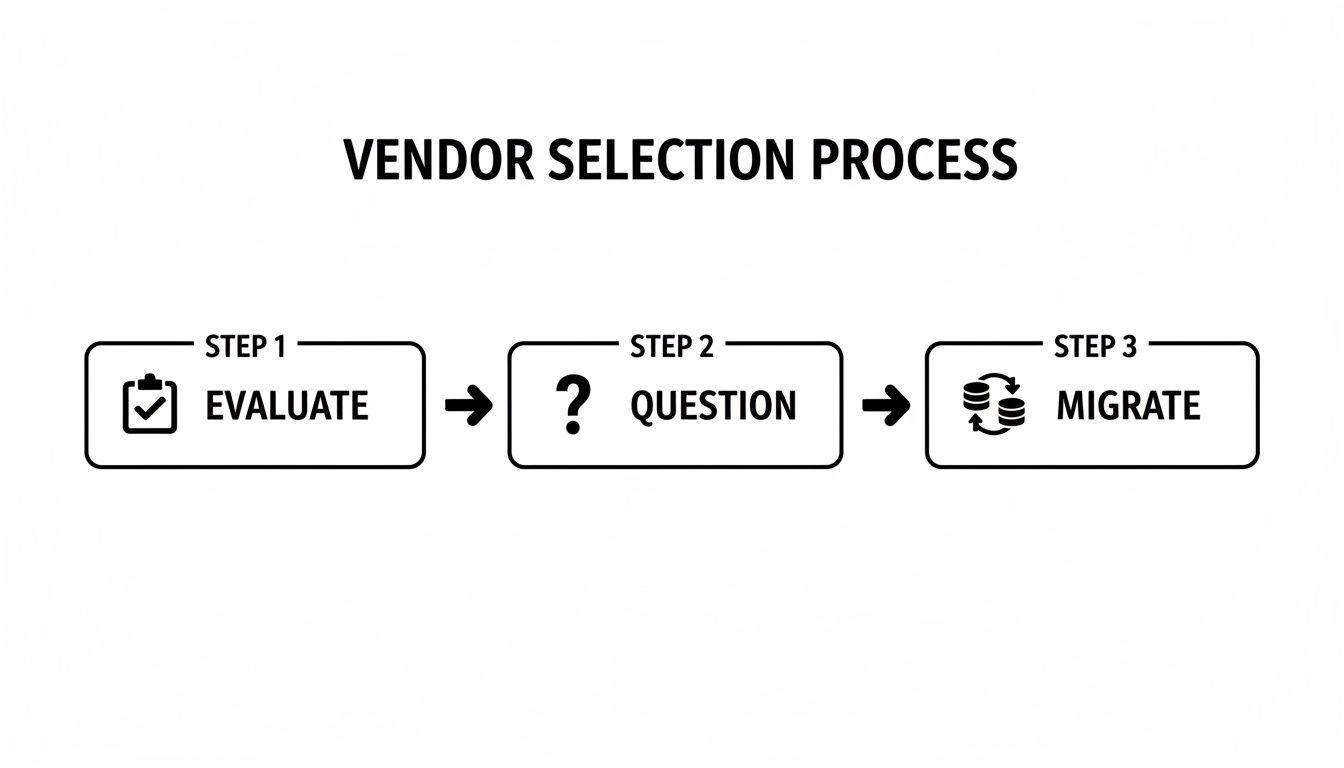
This simple flow chart really drives home that picking the right software isn't about chasing the shiniest object. It's about following a structured, thoughtful process.
What Is the Biggest Mistake Practices Make When Choosing New Software?
Hands down, the most common pitfall is getting hypnotized by a long list of features without first understanding your own clinic's day-to-day reality. It’s easy to get wowed by a demo showing off all the bells and whistles.
The problem is, if you haven't mapped out your current workflows—the good, the bad, and the ugly—you have no real yardstick to measure against. This leads to practices buying software that’s either way too complicated for their needs or, even worse, missing one critical function that ends up creating a whole new headache.
Before you even look at a single vendor, start by understanding your own processes and pain points. Then, you can find a system that actually solves your problems. If you need a refresher on the basics, our guide on what practice management software truly is is a great starting point.
Should I Choose a Cloud-Based or On-Premise System?
For nearly every modern practice, the answer is cloud-based software. It's not even a close contest anymore. Going with the cloud means you can ditch the expensive, dust-collecting server in your closet. It also means less IT drama, fewer maintenance headaches, and secure access for your team from anywhere.
Cloud systems are built to scale with you, update themselves automatically, and handle all the heavy lifting of data backups and disaster recovery. While on-premise solutions might give the illusion of more control, that "control" comes with the massive responsibility of managing security, updates, and HIPAA compliance yourself.
With projections showing 60% of practices are moving to the cloud for better reliability and analytics, the trend is crystal clear. A cloud-based platform simply offers the security and flexibility that today's medspas, primary care offices, and specialty clinics need to operate effectively.
The decision between cloud and on-premise isn't just a technical choice; it's a strategic one. Opting for the cloud frees up your team's time and resources to focus on patient care and growth, rather than on managing hardware and security updates.
How Can I Ensure My Staff Will Adopt the New Software?
Getting your team on board comes down to three things: making it easy, training them well, and explaining the "why." If you want people to use a new tool, it can't feel like a punishment.
First, involve your team in the selection process. Let them get their hands on the software and give feedback. If the interface feels clunky and confusing to them, adoption will be an uphill battle from day one.
Next, make sure the vendor you choose offers real, role-specific training and ongoing support—not just a single, boring webinar. A partner who provides a single source of support is worth their weight in gold.
Finally, you have to sell the vision. Clearly explain how this new system will make their jobs better. Show them how it will eliminate tedious tasks and let them focus on what matters: the patients. Frame the change as a benefit, and you'll turn skeptics into champions.
How Important Is a Single-Vendor Integrated Ecosystem?
It’s absolutely critical for a modern practice. Imagine trying to run your clinic by juggling 8-12 different software vendors. It's a recipe for operational chaos, security holes, and a massive administrative headache.
Every time you stitch two systems together, you create a potential point of failure. Data gets stuck in silos, and you never get a single, clear picture of your practice's health.
A true single-vendor ecosystem, where every part of the software is built to work together from the ground up, solves all of this. You get seamless data flow, a unified audit trail for compliance, one number to call for support, and far less time spent managing vendors. This is the foundation of the best practice management software on the market today. It lets you get back to focusing on your patients and your business, not on being a part-time IT manager.
At Ragnar STACK, we eliminate the complexity of juggling multiple vendors. Our vertically integrated ecosystem is purpose-built for healthcare practices that demand security, efficiency, and a superior patient experience. Discover how a single, unified platform can transform your practice.
Share This Story, Choose Your Platform!
LISTEN NOW

CAPTIVATING READS

Our blog is packed with articles and stories based around lifestyle, business, design and wellbeing. Subscribe now to get all of our updated directly to your inbox every week.