

Practice management software (or PMS, as you'll often hear it called) is the operational backbone of your clinic. Think of it as the command center for your entire business, handling everything from the moment a patient books an appointment to the final payment and follow-up.
It’s the crucial move away from juggling separate spreadsheets, clunky calendars, and disconnected payment systems. Instead, you get one intelligent, unified platform that makes everything work together.
What Is Practice Management Software, Really?
Imagine trying to run a kitchen during the dinner rush with a separate system for taking orders, another for sending them to the chefs, and a third for processing payments. Orders would get lost, customers would get frustrated, and chaos would reign. That’s exactly what it feels like to run a modern MedSpa or clinic without a centralized system—it's disjointed, wildly inefficient, and a recipe for costly mistakes.
Practice management software is the head chef that brings order to that chaos. It's a specialized platform built specifically for the business side of healthcare, making sure every administrative, financial, and patient-facing task is perfectly coordinated. While your Electronic Health Record (EHR) system is all about managing clinical patient data, the PMS is what keeps the lights on, the schedule full, and the revenue flowing.
The Shift from Disjointed Tools to a Single Hub
For a long time, practice owners got by with a patchwork of different tools. The front desk had one calendar, the billing team used entirely separate software for claims, and patient reminders were a manual grind of phone calls and emails. This old-school approach creates "data silos"—pockets of critical information that get trapped in one system, completely invisible to another.
The fallout from this fragmentation is all too real:
- Billing Errors: When scheduling and billing systems don't talk, you get incorrect codes and missed charges. That leads directly to denied claims and lost revenue.
- Administrative Overload: Your team wastes precious hours just copying and pasting information between programs. That's time they could be spending on what actually matters: the patient experience.
- Poor Patient Flow: Without a single, clear view of the schedule, double-bookings and long wait times become the frustrating norm, and your providers' time is used inefficiently.
- Lack of Insight: Forget trying to get a clear, big-picture view of your practice's financial health or operational weak spots when your data is scattered everywhere.
More Than Just a Digital Appointment Book
Today's practice management software has grown up. It's no longer just a digital version of a paper appointment book. It’s now a complete ecosystem that automates and connects the entire patient journey, from the first click to book online all the way through to final payment collection. This isn't just about convenience; it’s a powerful engine for growth.
The market statistics tell the same story. The global PMS market is expected to rocket from USD 17.02 billion in 2025 to a massive USD 40.14 billion by 2034. The driving force behind this explosion? Integrated systems, which already command a 74.4% revenue share. Practices are overwhelmingly ditching their fragmented toolkits for all-in-one platforms. You can dig deeper into the trends shaping the PMS market on Precedence Research.
At its heart, a modern PMS turns administrative headaches into a competitive advantage. It puts repetitive tasks on autopilot, cuts down on human error, and gives you the real-time data you need to make smart decisions that boost both your bottom line and patient loyalty.
At the end of the day, understanding what practice management software is comes down to seeing it as the foundational technology that lets your practice run like a well-oiled machine. It’s the engine that powers everything you do, allowing you to grow your business and focus on delivering exceptional care.
Diving Into the Core Features That Power Your Clinic
If you think of practice management software as the operational engine of your clinic, then its core features are the high-performance parts that make everything purr. These aren't just flashy digital add-ons; they're purpose-built tools designed to solve the real-world administrative headaches that drain your time and revenue. Let's move past the big-picture concept and get into the nuts and bolts of what makes these systems so essential.
Each feature is a pillar holding up the entire structure of your business. From keeping the calendar full to making sure you get paid, these tools are all deeply connected. A simple mistake in one spot—like a typo in a patient's insurance ID—can set off a domino effect, leading to rejected claims and frustrated patients. A well-integrated system is designed to stop that from ever happening.
This diagram shows how the key functions—scheduling, billing, and patient management—are the central pillars of any solid practice management software.
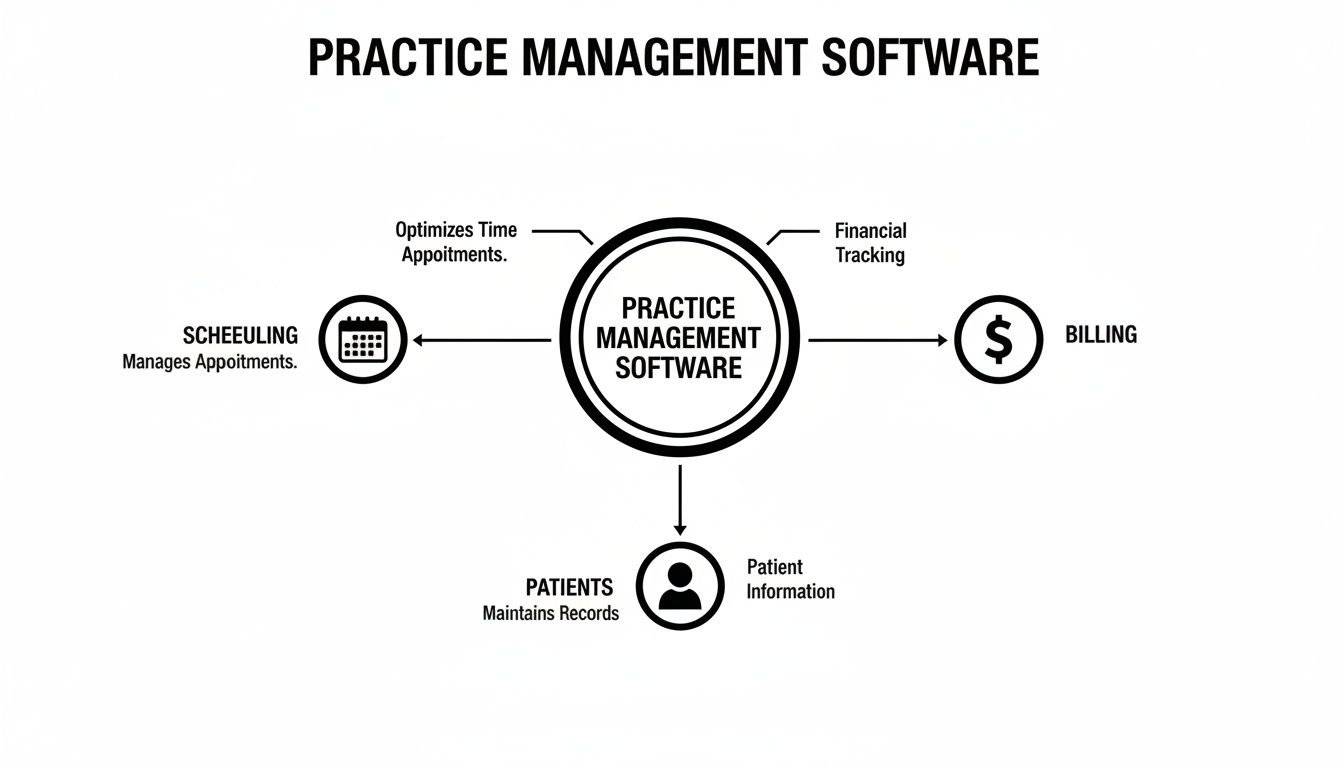
Think of it as a central hub. While each function is distinct, they all work together to keep the practice running like a well-oiled machine.
Intelligent Appointment and Calendar Management
On the most fundamental level, your schedule is your clinic’s heartbeat. A great PMS turns your calendar from a static appointment book into an intelligent command center that manages patient flow and provider time. We're talking about much more than just blocking out time slots.
Modern scheduling tools give you a real-time, multi-provider view that kills the risk of double-bookings and simplifies complex appointments. Even better, they put power directly into your patients' hands.
- Online Booking: Patients can see your team's real-time availability and book their own appointments 24/7. This alone drastically cuts down on front desk phone calls.
- Automated Reminders: The system automatically sends text or email reminders, a simple trick that's been proven time and again to slash costly no-shows.
- Waitlist Management: If a cancellation pops up, the system can instantly notify patients on a waitlist to fill the empty slot. Your schedule stays packed, automatically.
This level of automation frees up your team from playing endless phone tag so they can focus on the patients standing right in front of them.
Streamlined Medical Billing and Claims
Getting paid accurately and on time isn't just important; it's the lifeblood of your practice. But let's be honest, the medical billing process can be a nightmare of confusing codes, strict payer rules, and endless opportunities for human error. A PMS with strong billing features is built to tame this beast.
When your scheduling, notes, and billing all live in one system, the whole process gets faster and far more accurate. For example, once an appointment is marked complete, the system can automatically generate a claim using the correct codes tied to the services you provided.
A huge red flag for billing inefficiency is a high claim denial rate. Practices still wrestling with paper-based or disconnected systems often see error rates as high as 11-12%. In stark contrast, clinics with an integrated PMS can chop that rate down to less than 1%, giving a massive boost to revenue and cash flow.
This feature isn't just about sending out bills; it’s about managing your entire revenue cycle. If you want to dig deeper, you can explore our resources on the fundamentals of medical billing software. The system actively helps you get paid by catching errors before they ever leave your office.
Unified Patient Information and Records
One of the biggest struggles for any clinic is maintaining a single, reliable source of truth for every patient. When information is scattered across spreadsheets, paper files, and different software, mistakes are bound to happen. A PMS solves this by creating one unified patient record where all administrative and demographic data lives.
This single hub includes:
- Contact Information: Keeping addresses, phone numbers, and emails current.
- Insurance Details: Verifying eligibility and benefits in real-time to avoid nasty billing surprises down the road.
- Appointment History: Tracking every past and future visit for better continuity of care.
- Communication Logs: Recording all interactions, from appointment confirmations to follow-up messages.
With this centralized information, everyone from the front desk to the billing office is working from the same playbook. No more guesswork.
Automated Patient Engagement
Patients today expect the same digital convenience from their doctor's office that they get from Amazon or their favorite restaurant. Automated patient engagement tools help you deliver that modern experience without burying your staff in more work.
And it’s more than just appointment reminders. A robust PMS can automate:
- Recall Notifications: Automatically reaching out to patients when they’re due for a check-up or follow-up visit.
- Post-Visit Surveys: Gathering valuable feedback on their experience so you can keep improving.
- Targeted Communication: Sending out educational content or practice news to specific patient groups (e.g., diabetics, new parents).
These tools keep your practice top-of-mind and show patients you're invested in their long-term health, not just their next appointment.
Actionable Reporting and Analytics
You can't improve what you don't measure. At the end of the day, a PMS is a goldmine of data, and its reporting tools turn all that raw information into insights you can actually use. Instead of running your practice on gut feelings, you can make sharp, data-driven decisions.
Dashboards give you a quick, at-a-glance view of your key performance indicators (KPIs), letting you track trends and spot small issues before they snowball. Essential reports often include:
- Financial Reports: Tracking revenue, accounts receivable, and claim denial trends.
- Operational Reports: Analyzing no-show rates, provider productivity, and appointment volume by type.
- Patient Demographics: Understanding who your patients are so you can better tailor your services and marketing efforts.
These insights give you the clarity you need to optimize workflows, manage your finances, and build a strategic plan for growth.
How PMS Benefits Your Specific Practice Type
Let's be honest: not all medical practices are built the same. So why would you settle for one-size-fits-all software? The real magic of a modern practice management system is its ability to mold itself to your specific way of working. The core features we've talked about—scheduling, billing, patient communication—don't just exist in a vacuum. They become powerhouse tools when they’re tailored to the unique day-to-day realities of different clinics, solving the real-world problems you actually face.
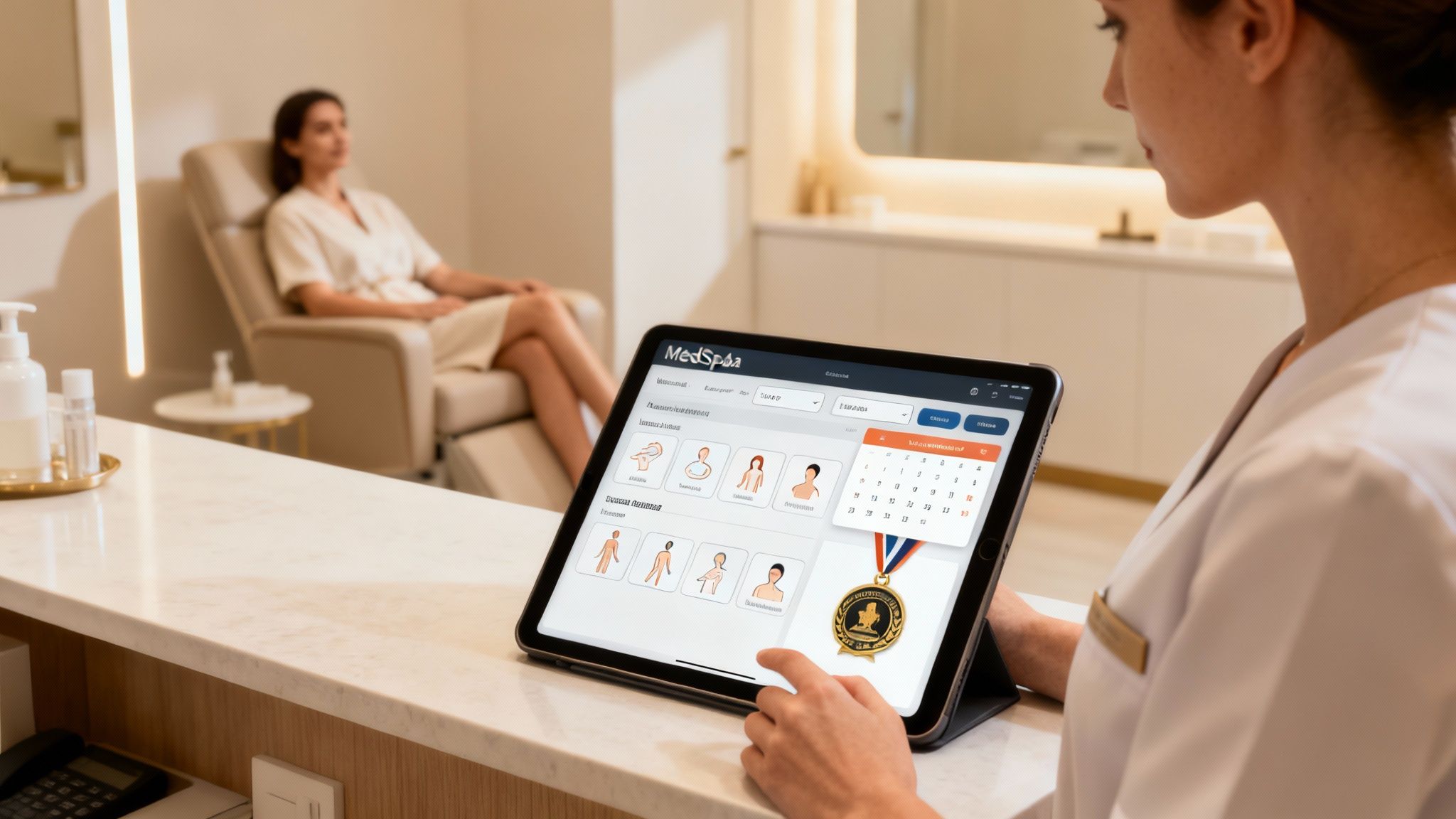
Think about it. A generic calendar is one thing, but a system that can juggle a complex, multi-treatment MedSpa package involving two different providers and three rooms? That's another beast entirely. This is where the right software graduates from being a simple admin tool to a critical part of your business strategy.
MedSpas: Fueling Growth and Client Loyalty
The MedSpa world is a unique hybrid, blending medical precision with a high-end retail experience. Your challenges aren't just clinical; they're about attracting clients, keeping them coming back, and maximizing their lifetime value. A basic PMS just wasn't built for that hustle.
A MedSpa-centric system, on the other hand, gets it. It’s built to:
- Handle Complex Bookings: It effortlessly schedules multi-service packages that might need different providers, rooms, and equipment, all in a single appointment. No more logistical headaches trying to coordinate it all by hand.
- Automate Membership Management: It takes the pain out of recurring billing for memberships, keeps tabs on service usage, and manages special member perks. This creates a reliable, predictable stream of revenue you can count on.
- Power Up Your Marketing: By tracking client history, the software lets you segment your audience with incredible precision. You can then run super-effective marketing campaigns to upsell new treatments or cross-sell complementary services.
For a MedSpa, the right PMS isn't just about making things run smoothly; it's a client retention engine. It creates a frictionless experience from booking to payment and enables personalized marketing that turns one-time visitors into loyal, high-value members.
Primary Care and Wellness: Optimizing Patient Flow
Primary care and wellness clinics are the bedrock of community health. The name of the game is managing high patient volume and ongoing conditions without ever compromising on care quality. Here, efficiency isn't a "nice-to-have"—it's a matter of survival.
The right practice management software acts like an expert air traffic controller for your clinic, making sure the entire patient journey is smooth from start to finish. This translates to real-world benefits:
- Automated Recall Notifications: The system flags patients who are due for annual check-ups, flu shots, or preventative screenings and automatically reaches out. This keeps your schedule full and promotes proactive health for your community.
- Simplified Chronic Care Management: For patients with long-term conditions, the PMS helps schedule regular follow-ups and track their progress, ensuring no one falls through the cracks. If you're looking for more ways to boost efficiency, our guide on how to keep track of time has some great insights.
- Streamlined Check-In and Check-Out: Digital intake forms and integrated payments bust up those front-desk bottlenecks. Patients spend less time in the waiting room, which immediately improves their experience.
All this operational smoothness means your providers get to spend less time clicking buttons and more time doing what they do best: caring for patients.
Concierge and Boutique Clinics: Delivering a Premium Experience
Specialty practices, like concierge or boutique clinics, play a different game. You compete by delivering a high-touch, premium experience. Your clients are paying for exceptional access and personalized attention, and your software has to back up that white-glove promise.
A standard PMS would feel clunky and impersonal here. A system designed for the concierge model elevates that client experience by:
- Offering Personalized Communication: It provides secure, direct messaging channels for easy communication between patients and their care team, reinforcing the value of their membership with every interaction.
- Managing Tiered Membership Models: The software can effortlessly handle different service levels, from basic access to VIP packages with exclusive perks, automating all the complex billing and tracking behind the scenes.
- Ensuring Seamless Care Coordination: When a patient needs a referral, the PMS becomes a central command post for coordinating appointments and sharing information with specialists. For the patient, the process feels completely seamless and stress-free.
In this world, your software becomes an extension of your brand. It's a key part of delivering the high-end, effortless experience that justifies the premium price tag.
Why System Integration and Security Are Non-Negotiable
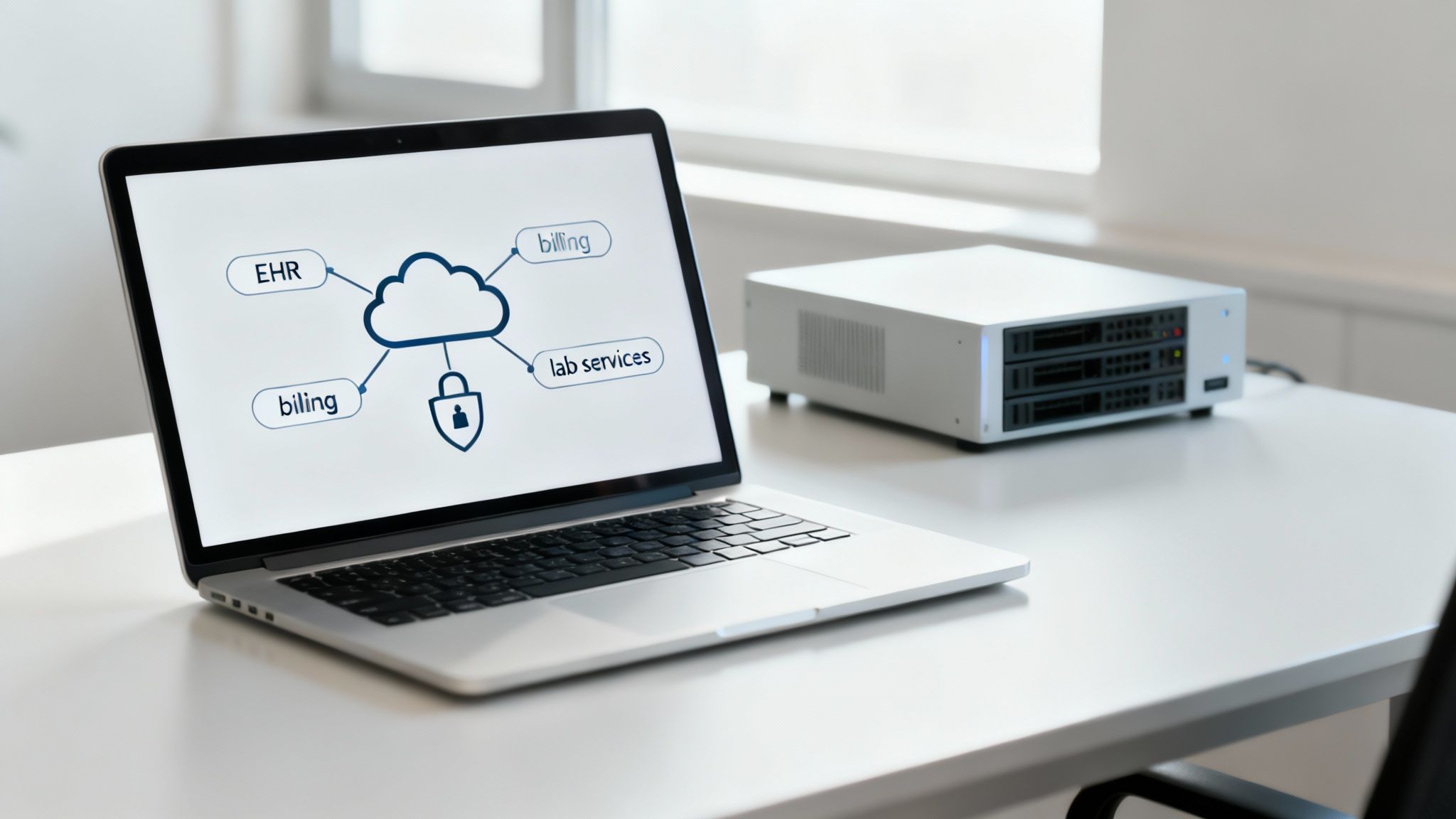
When you’re looking for practice management software, it's easy to get fixated on flashy scheduling features or a clean billing interface. But that’s like buying a car based on its paint color while ignoring what’s under the hood. The real engine of any practice software is a combination of seamless system integration and airtight security. These two things aren't just features; they're the foundation of a healthy practice.
Think about it. A patchwork of disconnected apps—one for scheduling, another for billing, a third for patient notes—is like trying to build an engine from mismatched parts. It might sputter to life, but it’s going to be inefficient, constantly breaking down, and a nightmare to maintain.
A single, vertically integrated system, on the other hand, is built from the ground up to work in harmony. Every part is designed to communicate with the others, which eliminates the dangerous gaps and frustrating manual errors that plague cobbled-together solutions.
The Problem with Disconnected Systems
When your software systems don't talk to each other, your staff is forced to become the human bridge, manually copying and pasting information from one program to another. This isn’t just slow; it’s a recipe for costly mistakes. A single typo while re-entering an insurance ID can lead to a denied claim weeks later, sending you down a rabbit hole of administrative follow-up.
This fragmentation creates data silos, where critical patient information gets trapped in one system, completely invisible to others. This mess leads directly to:
- A heavier administrative burden: Your team wastes hours on redundant data entry instead of helping patients.
- More frequent errors: Manual data transfer is a leading cause of billing mistakes that directly hit your bottom line.
- Compromised patient care: How can a provider offer the best care when they can't easily see a patient's complete administrative and scheduling history? They're working with one hand tied behind their back.
An integrated platform gets rid of these risks by creating a single source of truth. When a patient fills out a form in their portal, that information instantly populates across scheduling, billing, and clinical records. No manual work, no data gaps.
Security and HIPAA Compliance: The Unbreakable Foundation
Beyond running a smooth operation, protecting patient data is your most important responsibility. In healthcare, security isn't just a best practice; it's a legal and ethical mandate. A data breach can be catastrophic, leading to huge fines, a ruined reputation, and a complete loss of patient trust.
This is why you absolutely cannot compromise on security. Your software vendor isn't just selling you a tool; they are a business associate you're entrusting with your patients' most sensitive Protected Health Information (PHI).
When you’re evaluating a system, look for an unwavering commitment to security. Here’s what that looks like in practice:
- A Signed Business Associate Agreement (BAA): This is a non-negotiable legal contract that outlines the vendor’s responsibility to protect PHI under HIPAA. If a vendor hesitates to sign a BAA, walk away. Period.
- Robust Data Encryption: All data—whether it's stored on a server ("at rest") or being sent over the internet ("in transit")—must be encrypted with top-tier security standards. This essentially scrambles the data, making it unreadable to anyone without authorization.
- Secure Cloud Infrastructure: The software should run on a HIPAA-compliant cloud platform, like Amazon Web Services (AWS) or Google Cloud, that has its own layers of physical and digital safeguards.
- Detailed Audit Logs: The system must track every action taken within the software. Who accessed what data? When did they access it? This level of tracking is crucial for accountability and for investigating any security concerns.
A unified platform makes compliance much simpler. With one system, you have one set of security protocols to manage and one vendor to hold accountable, which dramatically strengthens your practice's defenses. For a deeper dive, you can learn more about tackling the challenges of EHR integration and security in our detailed guide.
A Practical Guide to Choosing the Right PMS
Let's be clear: picking a practice management software isn't just another tech purchase. It's a major business decision. You’re not just subscribing to a tool; you're choosing a long-term partner that will become the operational heart of your clinic. A rushed choice can lead to years of frustrating workarounds, hidden costs, and operational friction that actively holds your practice back.
To get this right, you need a structured game plan. This isn't about getting wowed by a slick sales demo. It’s about doing your homework to make sure the software aligns perfectly with your practice’s unique DNA—how you work, how you grow, and how you care for your patients.
First, Define Your Practice's Unique Workflows
Before you even glance at a vendor website, you need to look inward. Every practice has its own rhythm, its own specific way of doing things. The first, most critical step is to get those workflows down on paper. This is the only way to find a system that actually fits, rather than forcing your team to cram its processes into a box that was never designed for them.
Start by mapping out your key daily operations from beginning to end. For instance, what does a new patient’s journey really look like at your clinic?
- Initial Contact: How do they find you and reach out? Is it a phone call, an online form, or a direct booking link?
- Onboarding: What information do you absolutely need to collect, and how does it get into your system right now?
- Appointment Day: Walk through the steps—from the moment they arrive for check-in to treatment and finally, check-out.
- Billing and Follow-Up: How is the invoice or claim generated? What does your post-visit communication look like?
Answering these questions gives you a concrete blueprint of your needs. This clarity is your best defense against being distracted by shiny features you'll never use, helping you focus on what will truly make a difference in your day-to-day.
Match Features to Your Service Model
Once you have that workflow blueprint, you can start matching software features to your specific service model. This is where you connect your operational needs to tangible capabilities. A feature is only valuable if it solves a real, recurring problem for your practice.
Think of it like being a casting director. You wouldn't hire an actor without knowing the specific role they need to play. In the same way, don't "hire" a software feature without a clear job description for it in your practice.
For example, a MedSpa’s feature checklist is going to look completely different from that of a primary care clinic.
- For a MedSpa: A critical question is, "Does this system handle automated membership billing and track the usage of treatment packages?" That's a deal-breaker.
- For a Primary Care Clinic: "Can the software automate patient recalls for annual wellness visits?" is far more important.
Create a "must-have" feature list that is directly tied to your core services. This keeps your evaluation grounded in the reality of your practice, not just a generic list of software functions. To get even more specific on the financial side, check out guides on the essentials of medical invoicing and billing to help refine your requirements.
Look for a Partner Who Can Grow With You
The software you choose today has to support your vision for tomorrow. A system that feels perfect for your current size can quickly become a bottleneck, stifling growth just when you start to hit your stride. Scalability isn't just a buzzword; it’s about making sure your PMS can handle more complexity without breaking a sweat.
Ask some tough, forward-thinking questions that test the software’s limits:
- Can we easily add new providers, locations, or service lines without a massive, complicated overhaul?
- Does the pricing model make sense as our patient volume grows, or will we get penalized for our own success?
- What is the exact process for migrating our existing patient data, and how much downtime should we realistically expect?
A true technology partner will have clear, confident answers. They'll be able to show you exactly how their system is built for the long haul.
Vet Their Support and Partnership Philosophy
When you invest in a PMS, you're also investing in the team behind it. The quality of vendor support can absolutely make or break your experience, especially during the critical implementation phase. Don't underestimate how important it is to have a responsive, knowledgeable support team in your corner when you need them.
During your evaluation, dig deep into the vendor's service level:
- Implementation and Training: What does the onboarding process actually look like? Is the training generic, or is it personalized for your team's specific roles?
- Ongoing Support: What are their standard support hours? Do you get a dedicated account manager, or are you just another ticket in a queue?
- Reputation: What are current customers saying? Look for reviews that talk specifically about the quality and speed of their support team.
Remember, you’re looking for a partner, not just a provider. A strong, accessible support system is one of the clearest signs of a vendor’s commitment to your success.
How to Evaluate and Select the Right PMS Solution
Choosing the right Practice Management Software (PMS) is less about finding a "perfect" system and more about finding the best-fit system for your unique practice. This requires a systematic approach to compare your top contenders. Use a checklist to score each vendor against the criteria you’ve already defined, from core features to long-term scalability. This turns a subjective feeling into an objective, data-driven decision.
The table below provides a template to help you organize your findings and compare vendors side-by-side.
PMS Evaluation Checklist Vendor Comparison
| Evaluation Criteria | Vendor A | Vendor B | Ideal Solution for Your Practice |
|---|---|---|---|
| Core Scheduling & Billing | |||
| Specialty-Specific Workflows | |||
| Patient Engagement Tools | |||
| Security & HIPAA Compliance | |||
| Integration Capabilities | |||
| Scalability & Growth Path | |||
| Implementation & Training | |||
| Ongoing Support Quality | |||
| Total Cost of Ownership (TCO) |
By methodically filling this out for each vendor you demo, a clear winner will often emerge—the one that not only meets your needs today but is also best positioned to support your practice's future.
Calculate the True Total Cost of Ownership
Finally, it’s time to talk money. But don't just look at the monthly subscription fee. The sticker price is rarely the full story. To understand the real financial commitment, you need to calculate the Total Cost of Ownership (TCO), which includes every single potential expense over the software’s lifetime.
Your TCO calculation should absolutely factor in:
- Setup and Implementation Fees: Are there one-time costs just to get started?
- Data Migration Costs: Is there a fee to transfer your existing data? If so, how much?
- Training Fees: Is initial and ongoing training included, or is it a pricey add-on?
- Integration Fees: Will you have to pay more to connect with other essential tools, like labs or payment processors?
Mapping out all these potential costs allows you to make a truly informed financial decision and avoid nasty surprises down the road. This comprehensive approach ensures you select a PMS that isn't just a great functional fit, but also a sound, sustainable investment for your practice.
Got Questions About Practice Management Software? Let's Get Them Answered.
Choosing a new practice management system is a big deal, and it's natural to have questions. This isn't just about software; it's about the very engine that runs your day-to-day operations. You need clear, honest answers before you make a move.
We’ve been through this process with hundreds of practices. Here are the straight-up answers to the most common (and most important) questions we hear.
How Long Does This Actually Take to Set Up?
Let's cut to the chase: everyone’s biggest fear is a long, painful transition that disrupts the entire practice. The good news is, it's almost never as bad as you think. A well-planned implementation is a matter of weeks, not months.
While every practice is a bit different, a realistic timeline breaks down into three main stages:
- Getting Your Data Across (1-2 Weeks): This is the most delicate part of the dance. A dedicated team will help you pull all your essential data—patient charts, appointment history, billing info—from your old system and map it correctly into the new one.
- Customizing the System (1 Week): This is where the software becomes yours. We’ll help you set up provider schedules, define your unique appointment types, build out your specific billing rules, and fine-tune all your patient message templates.
- Training Your Team (1-2 Weeks): Good training is everything. The goal isn't just to show people how to click buttons. It’s about giving each person—from the front desk to the billing office—the confidence to use the tools for their specific role, day in and day out.
All in, most practices are fully up and running on their new system in two to four weeks. The secret is working with a partner who has a dedicated onboarding team to manage the whole project for you.
Will This Software Play Nice With My Current EHR?
This is a make-or-break question. If your practice management and clinical systems can't talk to each other, you're just creating more work and headaches for your team. The answer really depends on how they connect.
- Native Integrations: This is the best-case scenario. It means the PMS and Electronic Health Record (EHR) were built to work together as a single, unified system. Information flows back and forth instantly, no questions asked.
- Third-Party Connectors (APIs): This is a more common approach where two different systems are linked together using a technology called an API. It can work well, but sometimes these connections are a bit clunky, require ongoing maintenance, and don't always share every piece of data perfectly.
When you're looking at different options, always ask the vendor to be specific about the kind of integration they offer. A single platform that handles both PMS and EHR functions is hands-down the most powerful solution because it completely eliminates the integration problem from the start.
What's the Real Difference Between PMS and EHR Software?
This one gets to the heart of how a practice works. People often use "PMS" and "EHR" interchangeably, but they are two very different tools for two very different jobs.
Here’s a simple way to think about it: if your practice were a restaurant, the EHR is the kitchen and the PMS is the front of house.
| System Type | What It Does | Who Uses It Most | The Restaurant Analogy |
|---|---|---|---|
| EHR Software | Manages all the clinical stuff—patient histories, diagnoses, lab results, prescriptions. It's all about patient health. | Clinicians (Doctors, Nurses, PAs) | The Kitchen |
| PMS Software | Manages the business side—scheduling, billing, patient reminders, and financial reporting. It's about practice health. | Admin & Front Desk Staff | The Front of House |
The EHR is where you document and manage patient care. The PMS is where you manage the business of care.
The magic happens when the kitchen and the front of house are in perfect sync. A clinical note in the EHR should automatically trigger the right billing code in the PMS. A booked appointment in the PMS should automatically create a chart in the EHR. When they work together seamlessly, your entire practice runs better.
At Ragnar STACK, we built a single, vertically integrated platform because we believe you shouldn't have to duct-tape your systems together. Our ecosystem combines practice management, EHR, and security into one seamless solution designed to help your practice grow. See how a single partner can make all the difference at https://notes.rstack.io.
Share This Story, Choose Your Platform!
LISTEN NOW

CAPTIVATING READS
Our blog is packed with articles and stories based around lifestyle, business, design and wellbeing. Subscribe now to get all of our updated directly to your inbox every week.